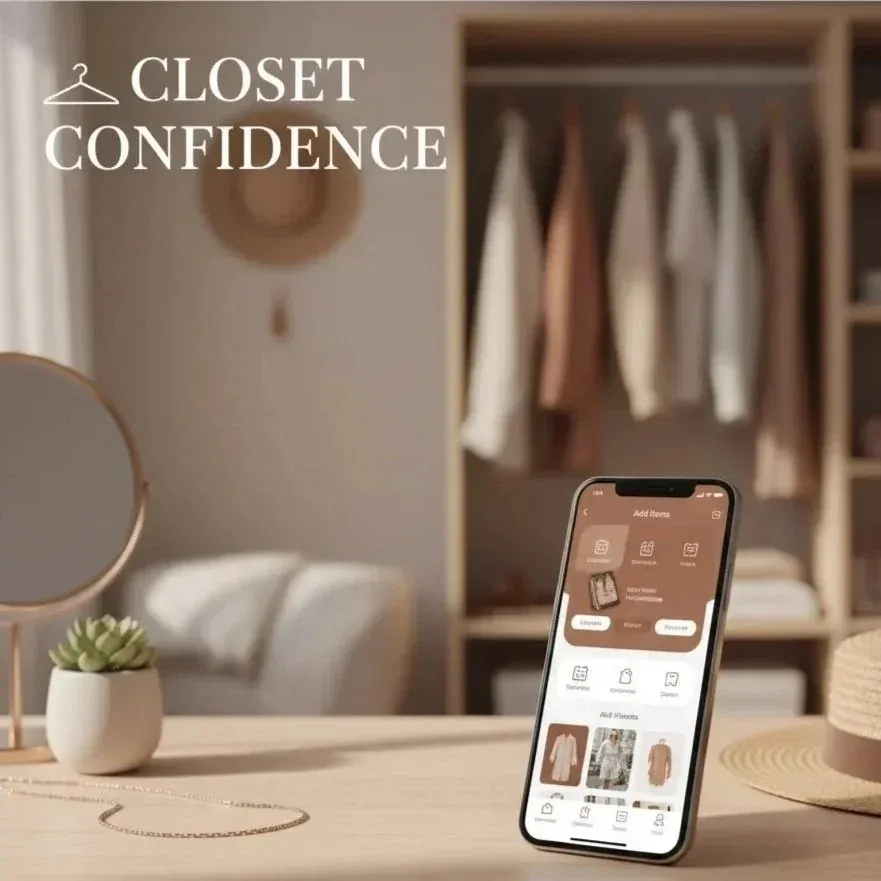
Closet Confidence
A calm, minimal fashion app that helps busy women choose outfits faster and without stress.
- Project type
- Personal project
- My role
- End-to-end UX/UI designer
- Platform
- Mobile app
- Research
- 5 user interviews
- MVP scope
- Add to Closet, Calendar/Plan, Sync Center
- Tools
- Figma
- Outcome
- In usability tests, people finished the main tasks without major problems. All core flows held up, so the MVP only needed small polish.
Overview
Closet Confidence is a warm, minimal mobile app designed to help busy working women choose outfits quickly and confidently.
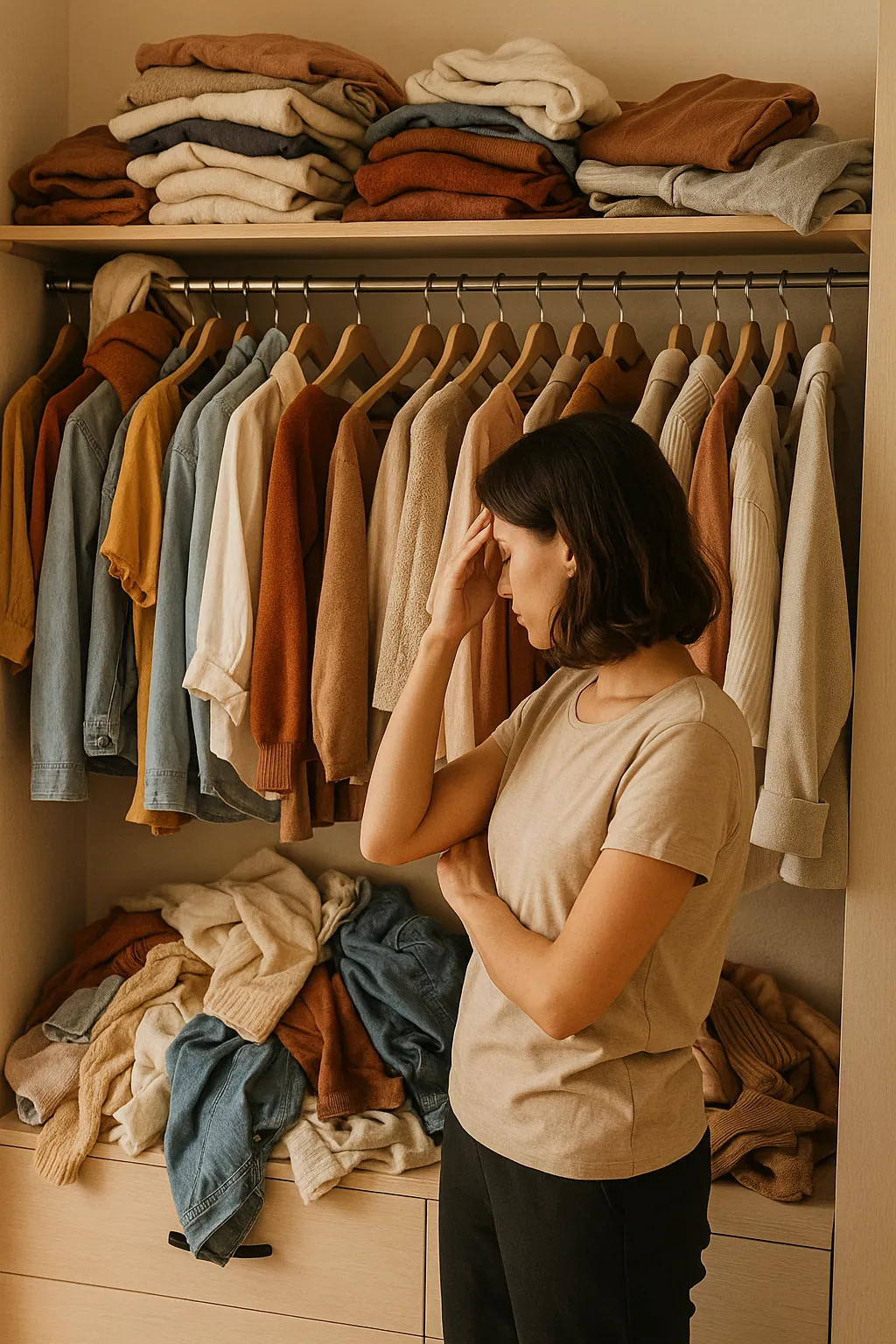
This project came from my real life. Every morning before work, I found myself staring at my closet, feeling rushed and unsure what to wear. When I realized other women had the exact same struggle, I knew this wasn’t just my problem — it was a real opportunity to design something helpful. Closet Confidence grew directly from that experience.
The MVP focuses on three red routes: Add to Closet, Calendar/Plan, and Sync Center, based on what real users said stresses them most in mornings.
My role
As the end to end UX/UI designer on this project, I conducted research, identified core user needs, defined the MVP, created user flows, produced wireframes, and designed the final high fidelity UI and prototype including the AI assisted features that help users get personalized outfit suggestions.
My own experience facing this daily problem strengthened my ability to design a solution rooted in empathy and real world needs.
Problem, insight, opportunity
Problem
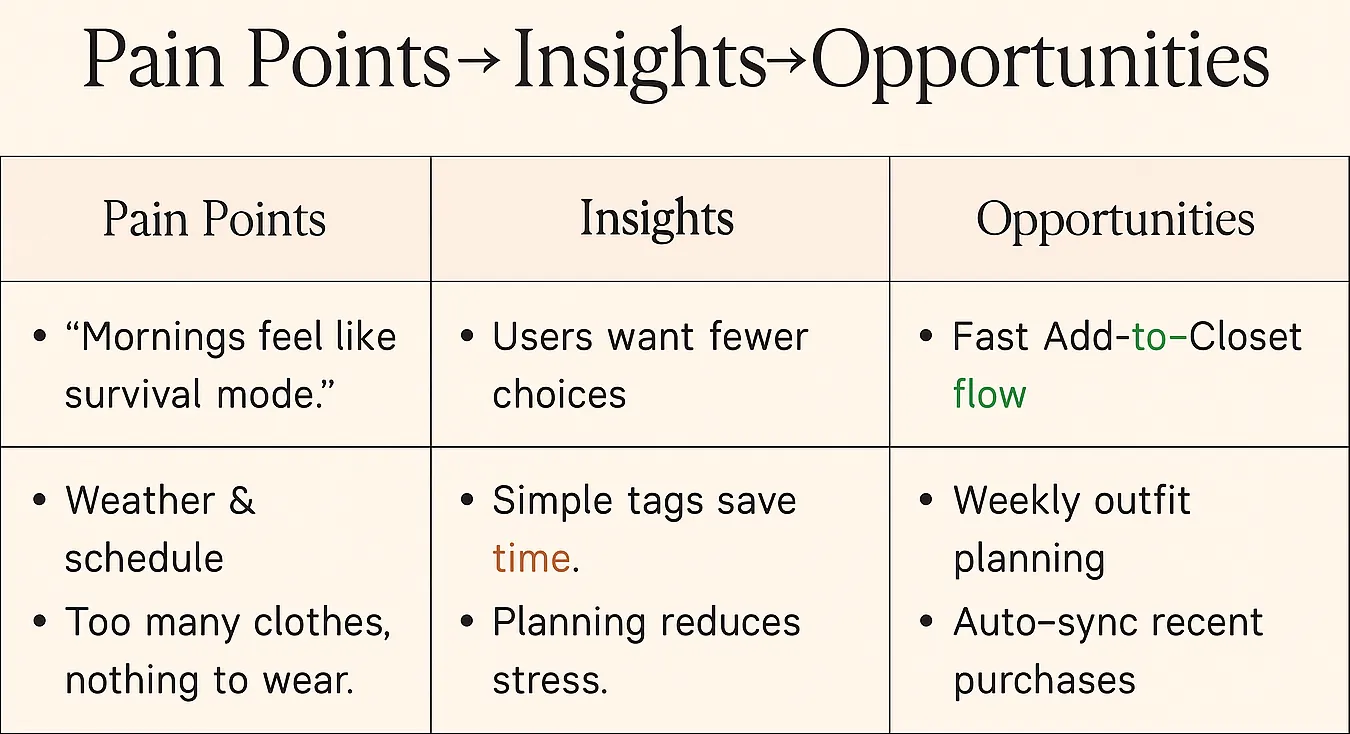
Busy women feel rushed in the morning and end up repeating outfits because there is no calm, simple way to plan ahead. Weather and schedule cause last minute outfit changes.
Insight
Users want fewer choices, simple tags, and a calm planning moment even one day ahead reduces stress.
Opportunity
A calm, minimal app that helps women quickly add items, plan their week, and sync recent purchases, reducing decision stress.
Research findings
What I discovered
Through 5 user interviews, I learned that choosing outfits in the morning creates stress, decision fatigue, and last minute changes. Users repeat the same clothes because they feel rushed and overwhelmed. Planning ahead even one day reduces stress significantly.
What users said
- “I stand in front of my closet and wear the same thing because I don’t have time.”
- “If I planned ahead, I’d feel less stressed.”
- “Weather ruins my outfit plans all the time.”
- “I love when apps keep things simple.”
Why this matters
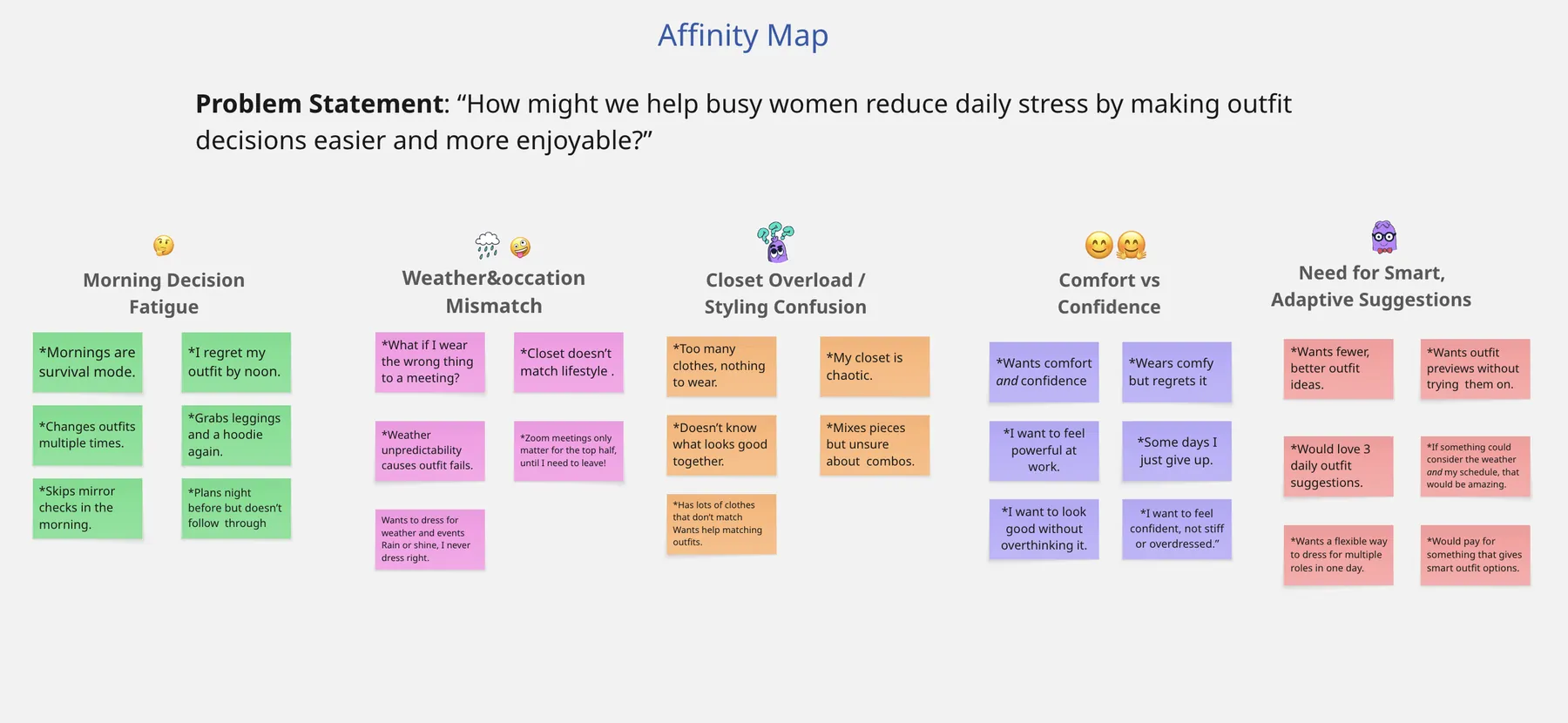
These insights guided my design decisions by helping me prioritize simplicity, reduce morning decision fatigue, and create features that directly address stress points users shared.
Key themes and design direction

Morning decision fatigue
Users feel rushed and overwhelmed choosing outfits in the morning.
Design Direction: Create a calm UI with fewer choices and simple, familiar flows.

Weather and schedule mismatch
People often pick outfits that don’t match weather or events, causing last minute changes.
Design Direction: Integrate weather context, day of overview, and weekly planning.
Closet overload
Users have many clothes but struggle to navigate and choose efficiently.
Design Direction: Tags, categories, and clear filters help users find items quickly.

Desire for simplicity
Users want tools that feel organized, minimal, and easy to use.
Design Direction: Warm colors, clean typography, and simple cards reduce stress.
How this shaped the MVP
Research themes directly informed the three core red routes.
- Morning decision fatigue → led to the Calendar Plan feature to simplify outfit planning.
- Closet overload & desire for simplicity → led to the Add to Closet flow focused on tagging and easy item organization.
- Weather/schedule mismatch & confusion → led to the Sync Center, keeps users updated with weather conditions so they can dress appropriately, and also connects recent purchases to prevent unnecessary buying and help them use what they already own.
Defining the MVP
Based on research insights, I identified the core red route tasks women needed most during busy mornings.
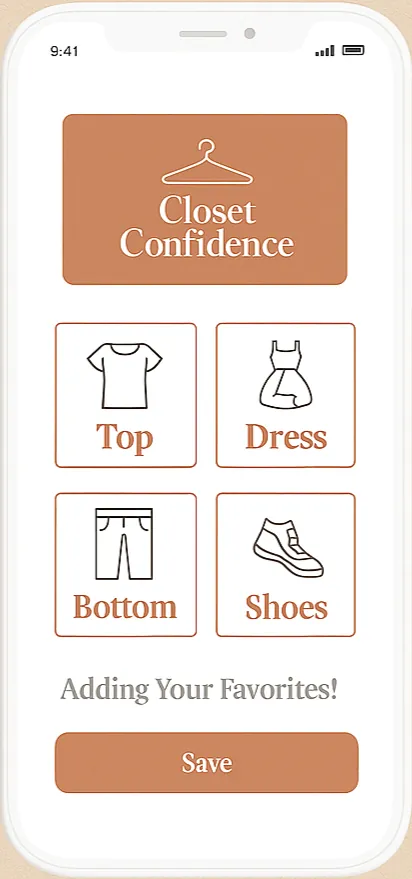
1. Add to Closet
Users needed a fast, simple way to add new items without thinking too much.
This helps reduce clutter and makes planning easier.
2. Calendar and weekly outfit planner
Women want a calm way to plan their week ahead especially around weather and events.
3. Sync Center
Users said that keeping track of recent purchases feels chaotic.
This feature auto syncs items so outfits stay up to date.
User flows
To ensure a smooth and intuitive experience, I mapped the core red-route user flows for Closet Confidence. Each flow supports the primary goals users expressed during research: reducing morning stress, simplifying choices, and keeping their closet updated.
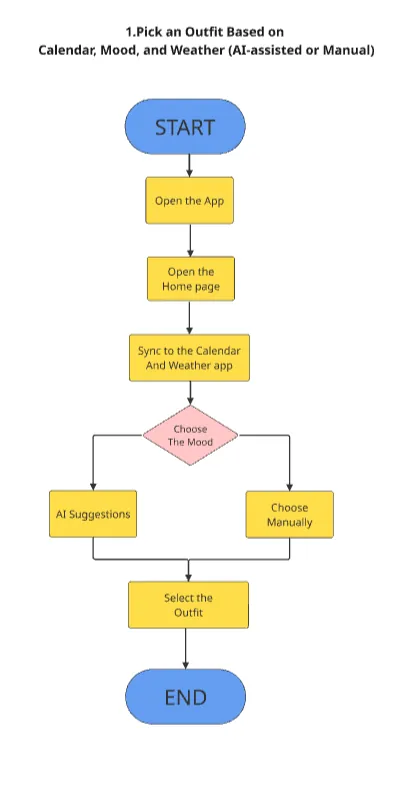
1. Pick an outfit (AI-assisted or manual)
- Users quickly choose an outfit based on mood, weather, or calendar events.
- The flow offers AI suggestions for easy mornings or manual selection for full control.
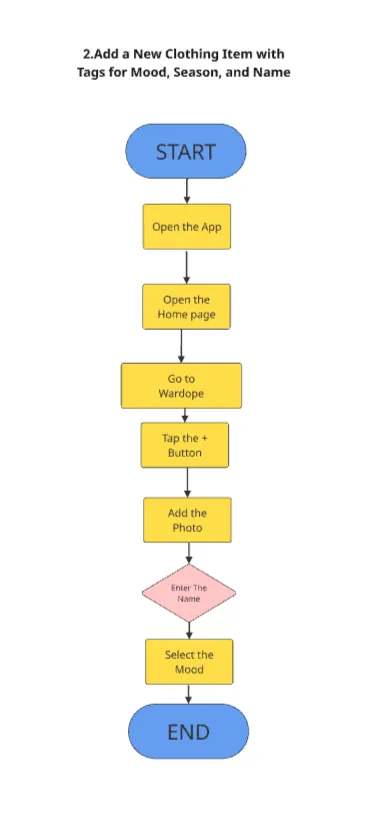
2. Add a new clothing item
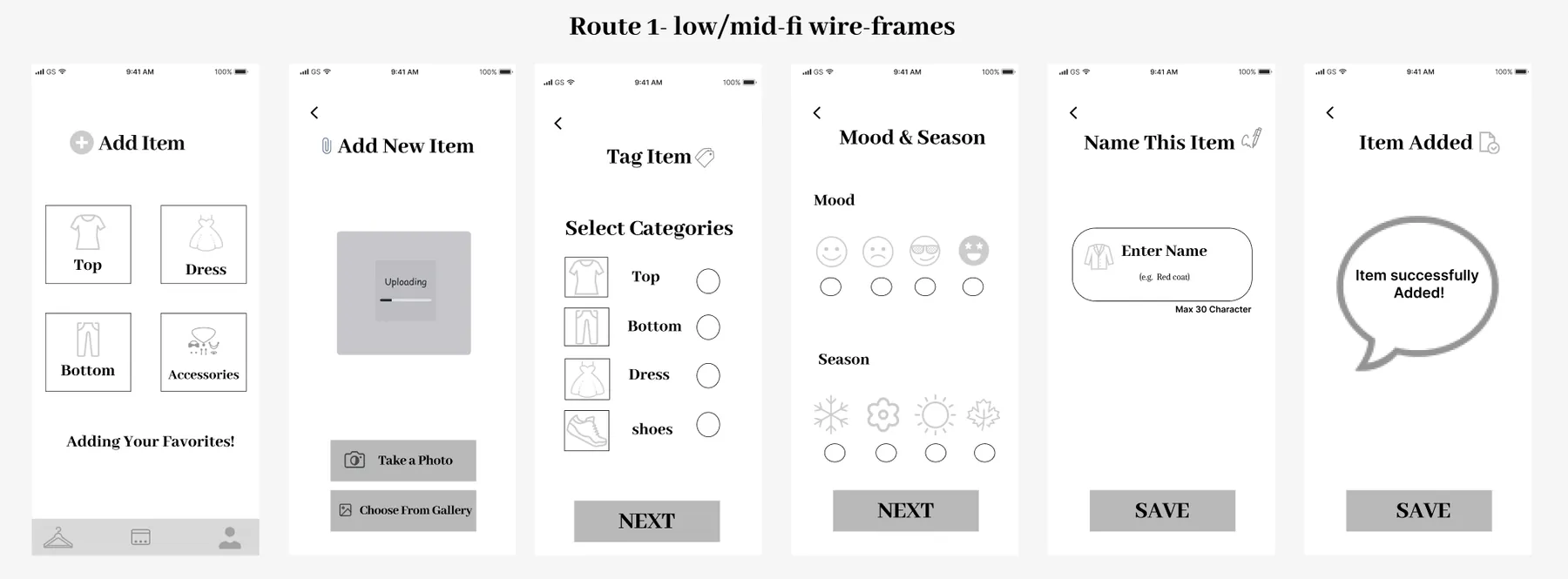
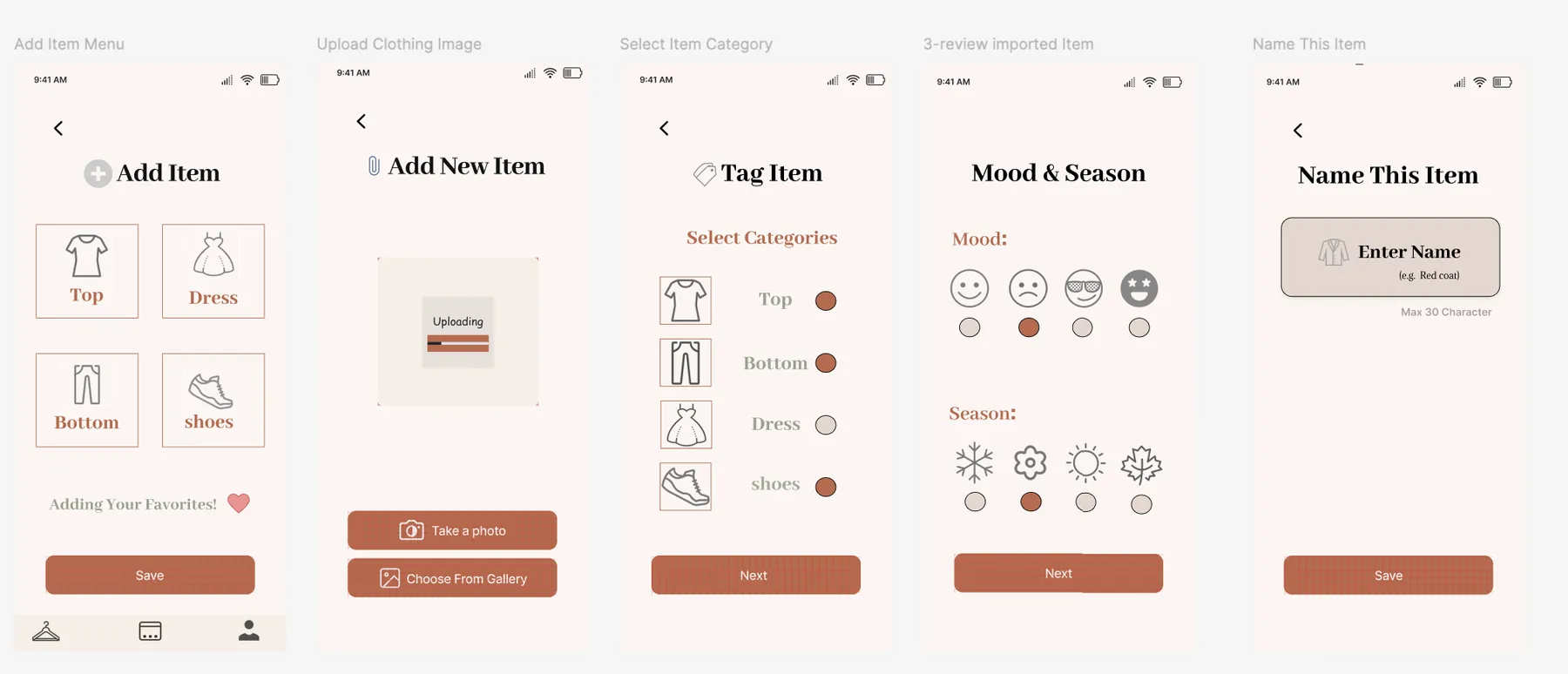
- Users upload a photo, name the item, and tag it by mood, season, or category.
- This keeps the digital closet clean, organized, and easier to plan outfits from.
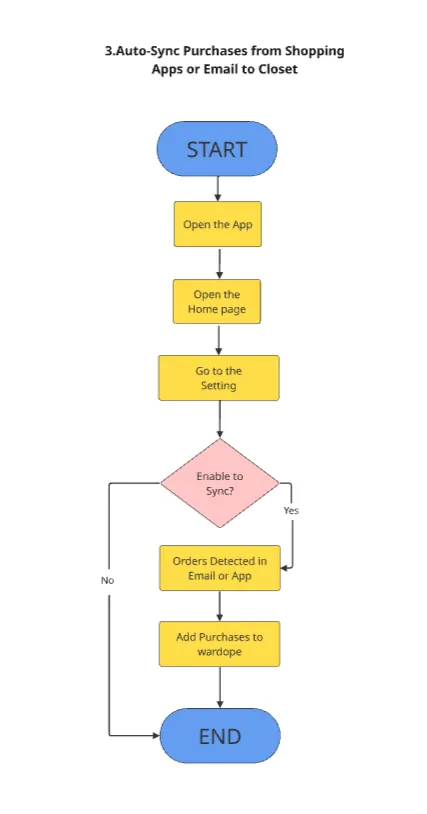
3. Auto-sync recent purchases
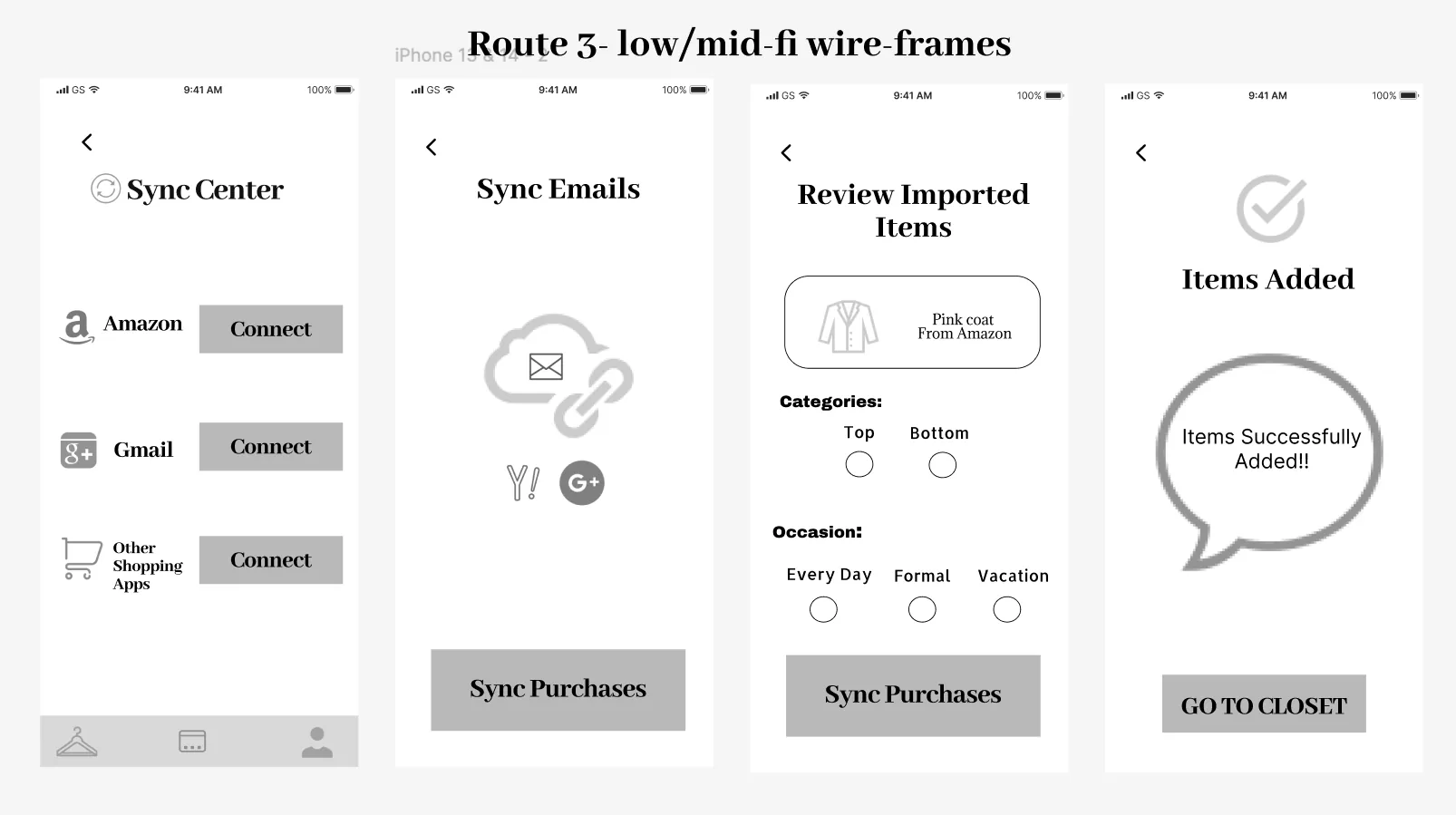
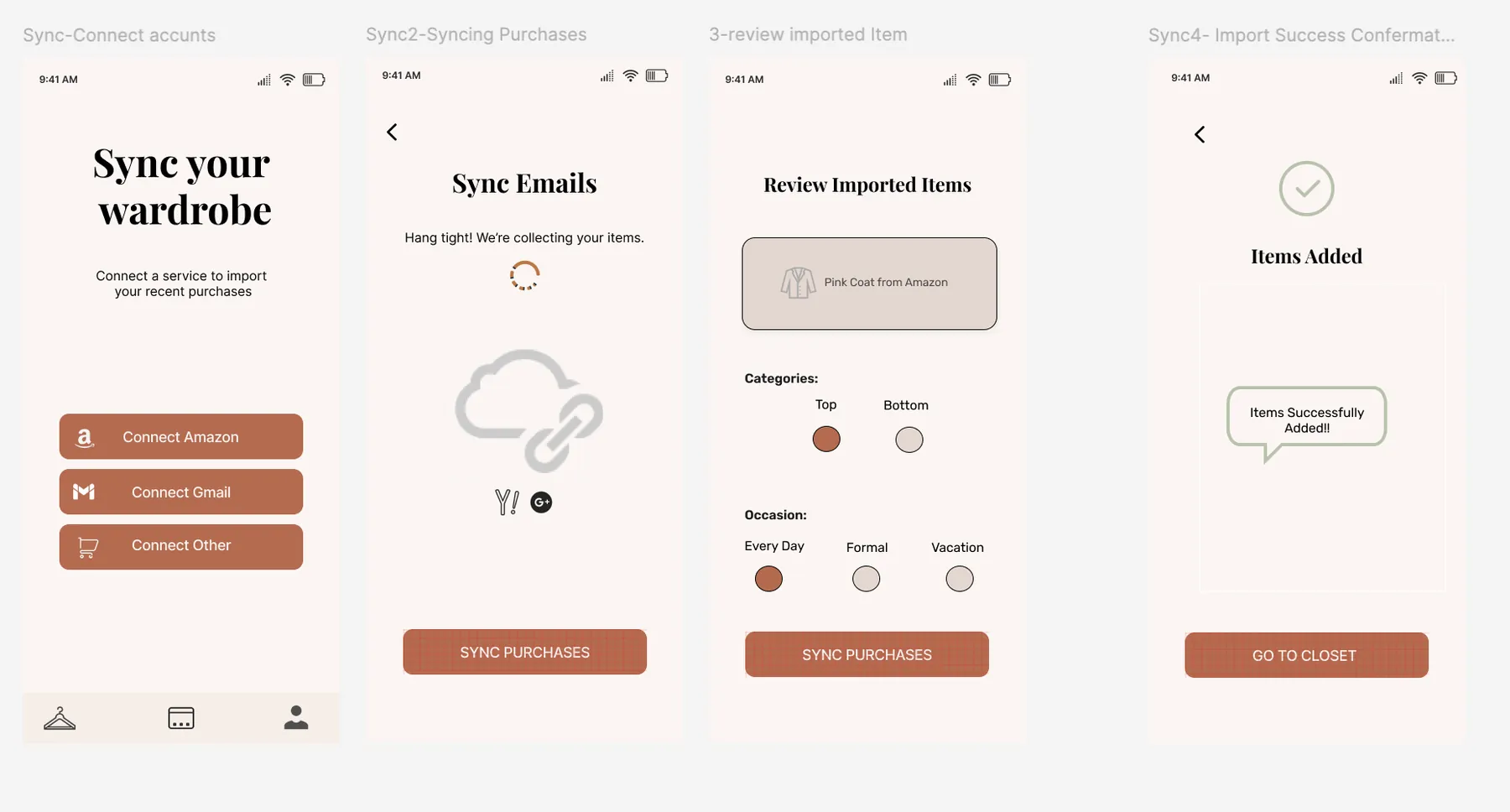
- Users enable syncing in Settings, allowing new orders from email or shopping apps to automatically appear in their closet.
- This keeps the wardrobe updated without manual effort.
Wireframes and early exploration
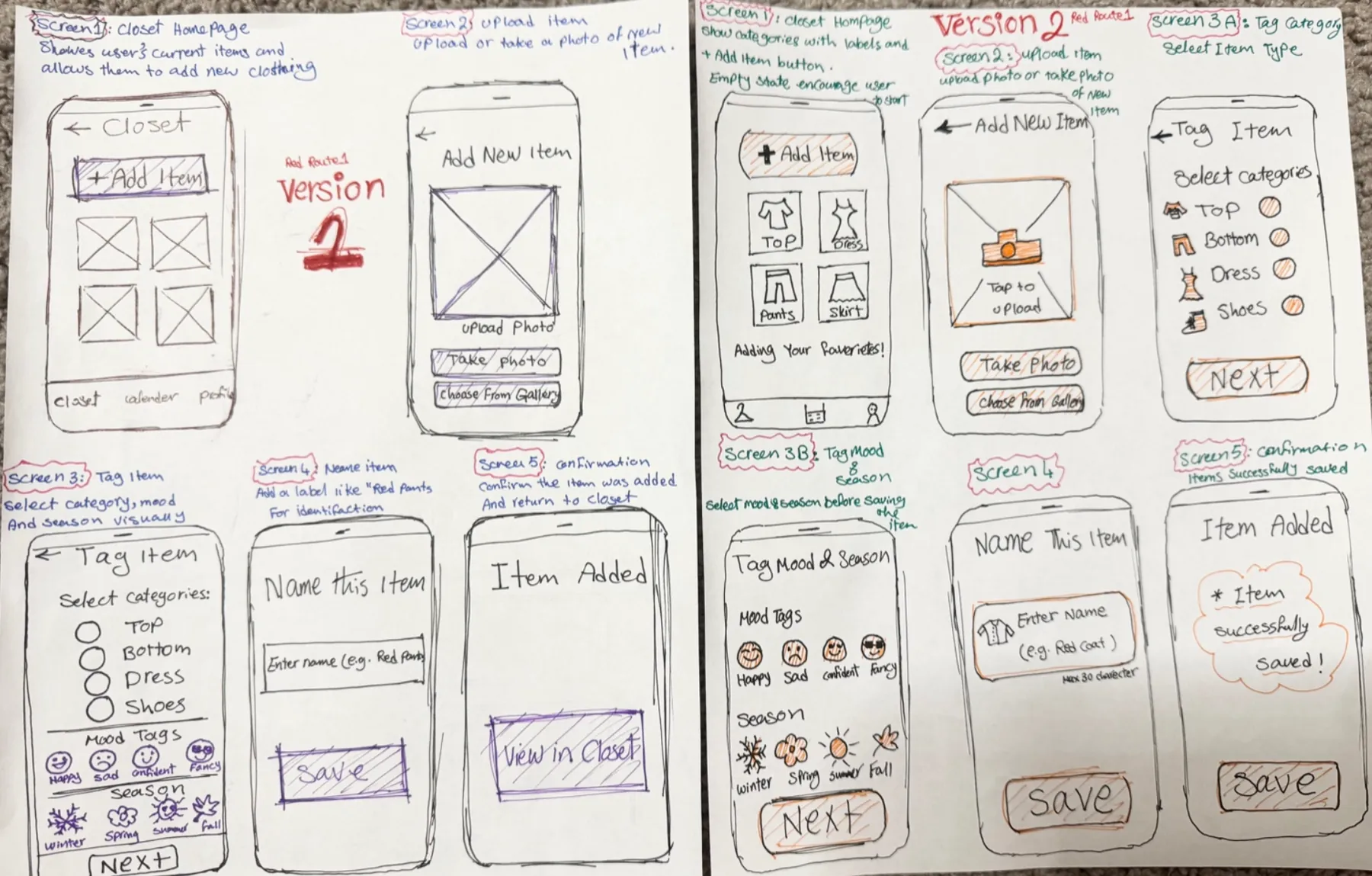
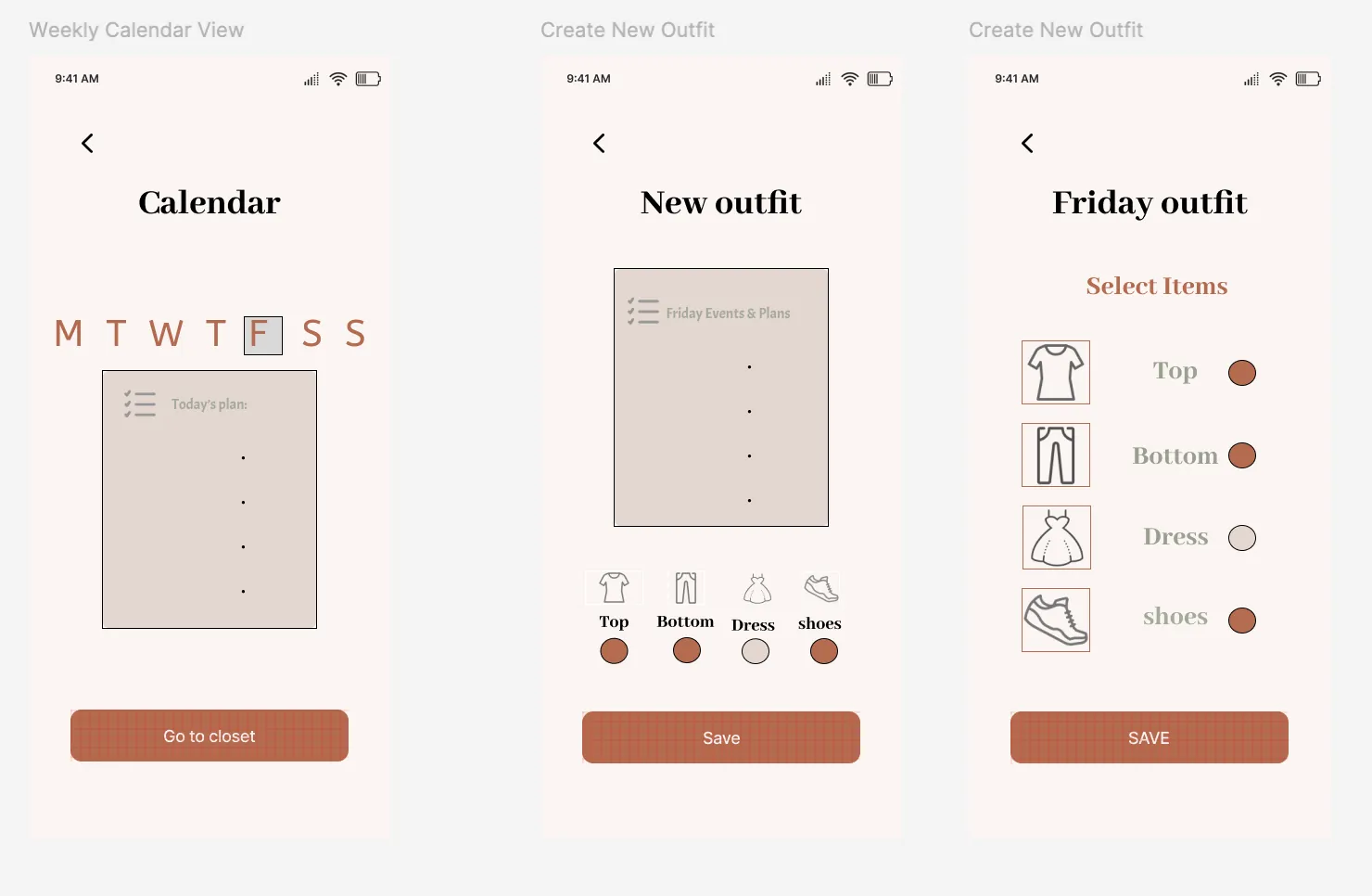
I began with hand drawn wireframes to explore layout ideas, user flows, and task clarity. Each red route went through multiple iterations to simplify the experience and reduce cognitive load. These early sketches helped validate structure before moving into Figma.
Red route 1: add a new clothing item
I explored two iterations of the Add Item flow. Version 1 focused on simplifying the tagging process, while Version 2 introduced clearer categories and reduced steps.
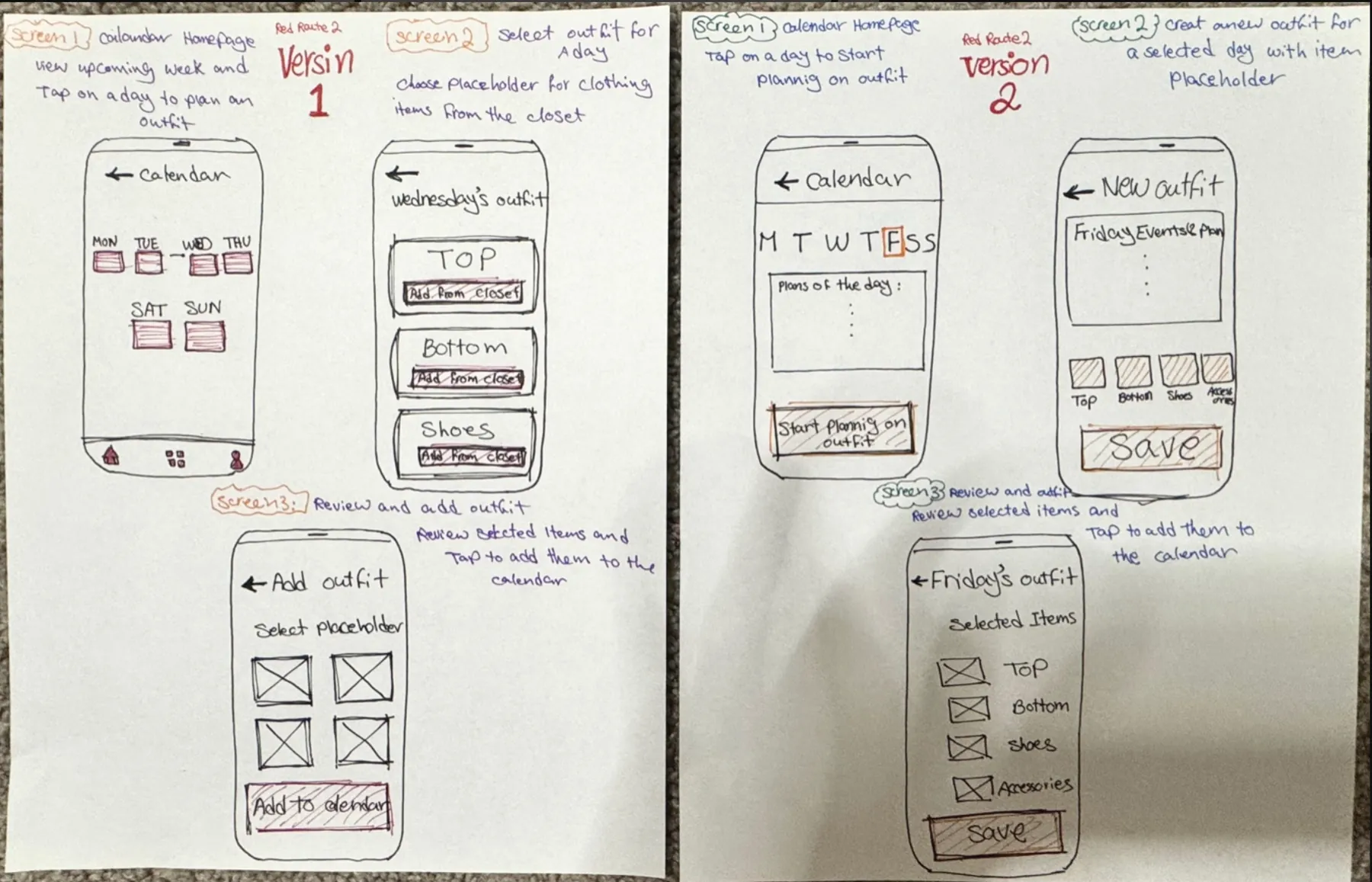
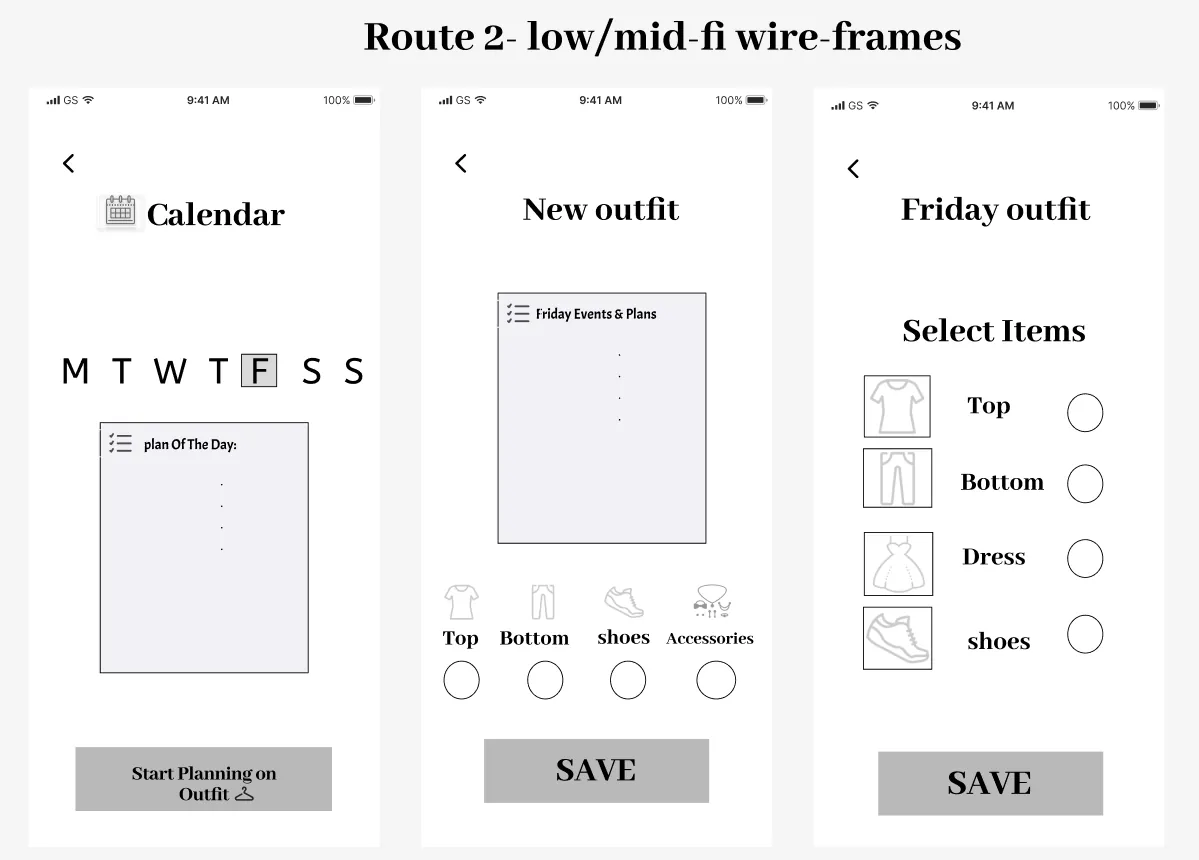
Red route 2: plan a week of outfits
These sketches explore weekly planning with calendar integration. The second iteration simplifies the layout and improves visibility of selected items for each day.
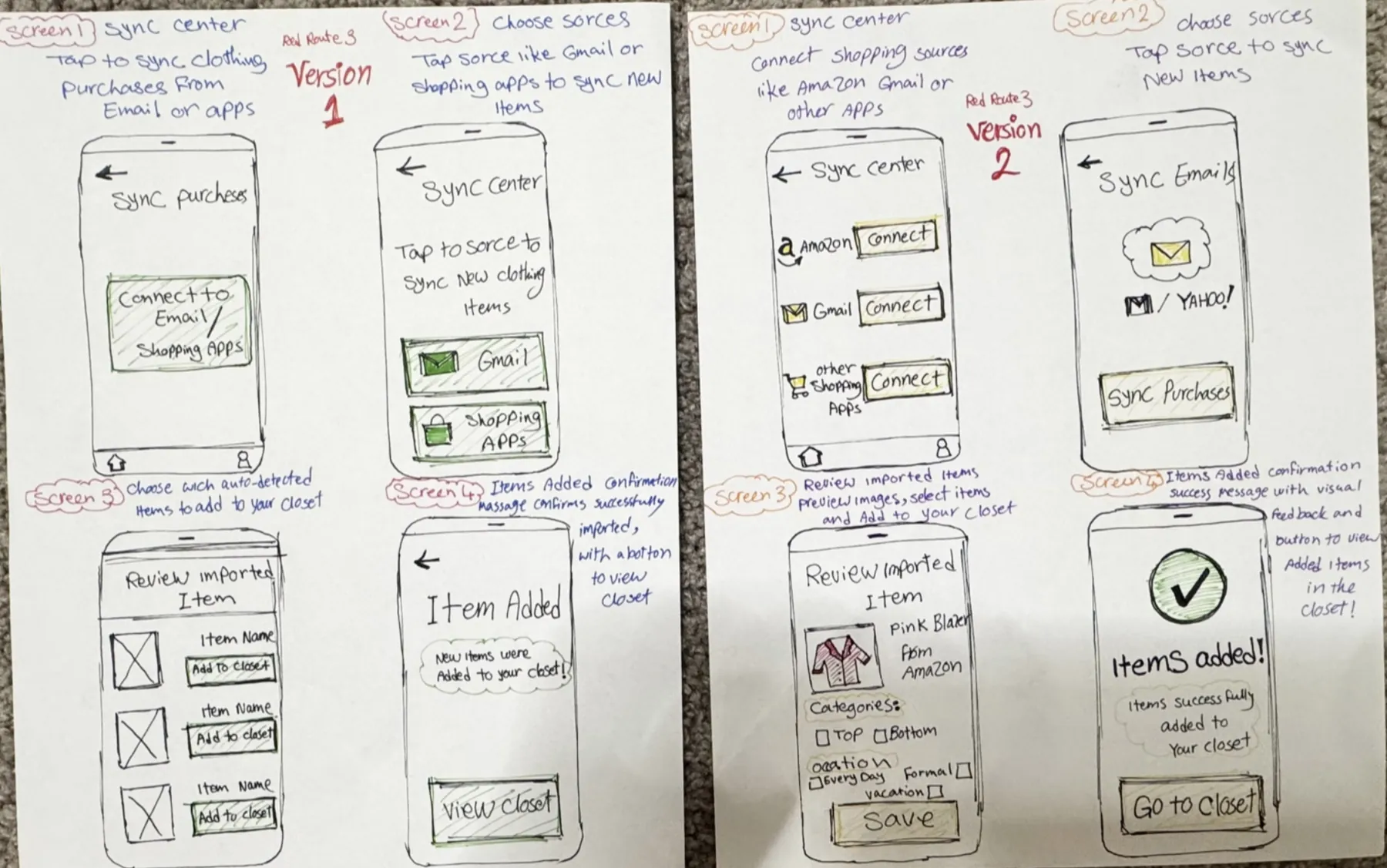
Red route 3: sync new purchases
I iterated on how users sync items from email and shopping apps. The improved version clarifies sources and adds feedback confirmation when items are successfully imported.
Low-fidelity Figma wireframes
After ideating on paper, I translated the strongest concepts into structured low fidelity wireframes in Figma. This helped refine layout, content hierarchy, and interactions before moving into high fidelity design.
AI-powered smart styling
Closet Confidence includes an AI “style assistant” that helps busy women make faster, more confident outfit decisions. Instead of only browsing manually, users can choose when to let AI suggest outfits, auto tag new items, or even plan a full week of looks based on their calendar and the weather and what they already have in their closet.
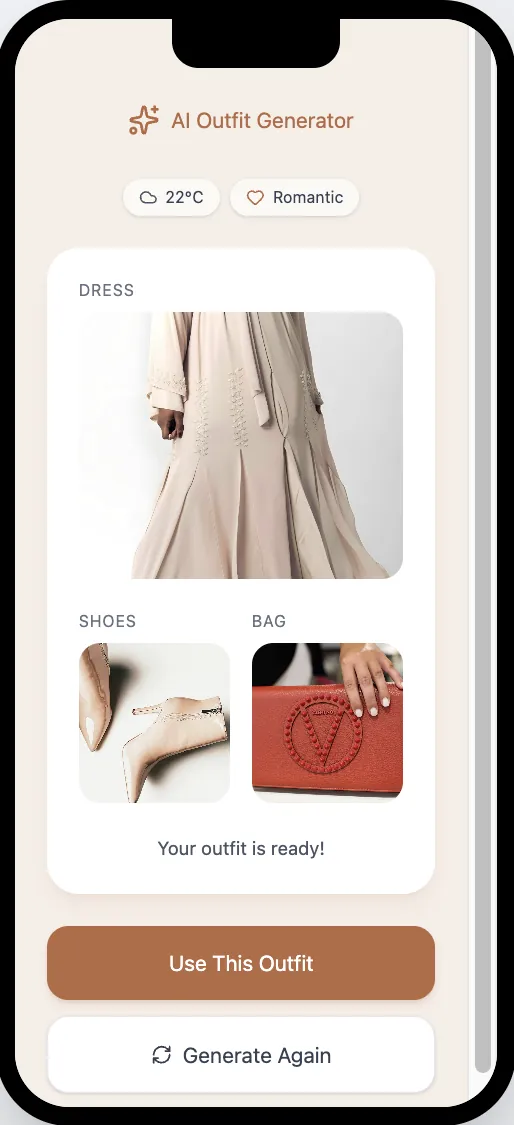
1. AI outfit generator
Users can tap an “AI Suggest Outfit” button to get a complete look based on their mood, the weather, and what’s already in their closet. This helps on rushed mornings when they don’t want to decide from scratch.
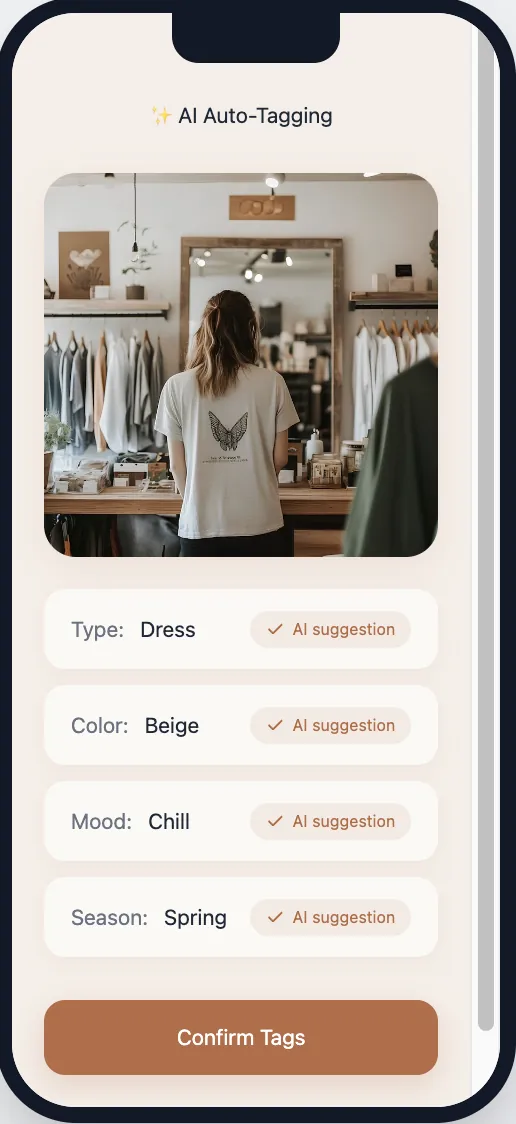
2. AI auto-tagging
When users add a new clothing item, AI automatically suggests the type, color, season, and mood tags. They can quickly confirm or adjust, which reduces the time and effort of organizing the digital closet.
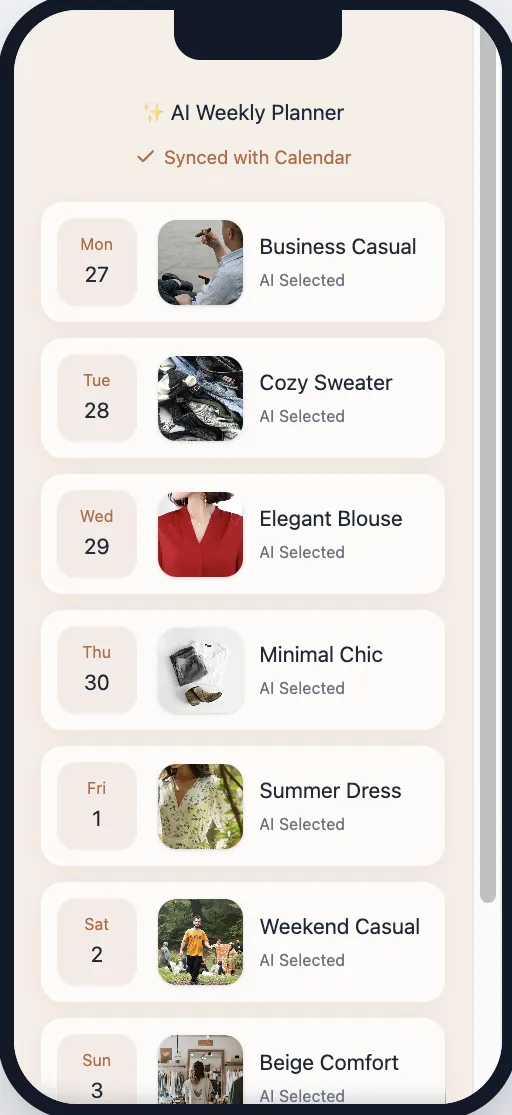
3. AI weekly planner
Users can ask AI to “Plan My Week,” and the app suggests outfits for each day based on upcoming events and the forecast. They can review, tweak, and save the plan so mornings feel calmer and more prepared.
High-fidelity UI designs
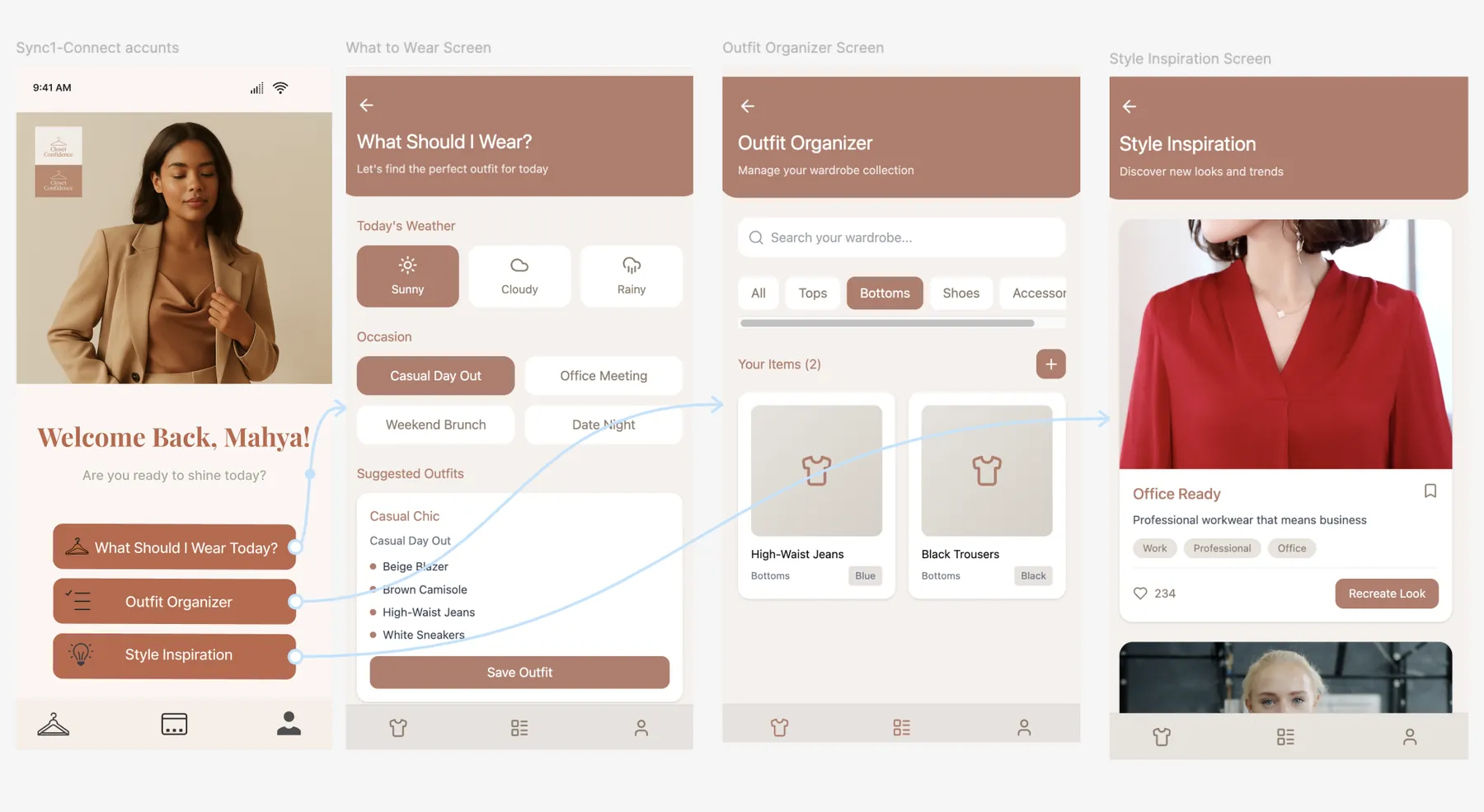
After refining the wireframes and integrating key feedback, I designed the high fidelity UI using the Closet Confidence design system. My focus was on creating a warm, calming, and minimal interface that helps users quickly organize their wardrobe and plan outfits without decision stress.
Interactive prototype
This interactive prototype demonstrates the core user flows of Closet Confidence, including outfit planning, outfit organization, and style inspiration. I designed the experience to feel intuitive, calm, and supportive for busy women.
Usability testing and validation
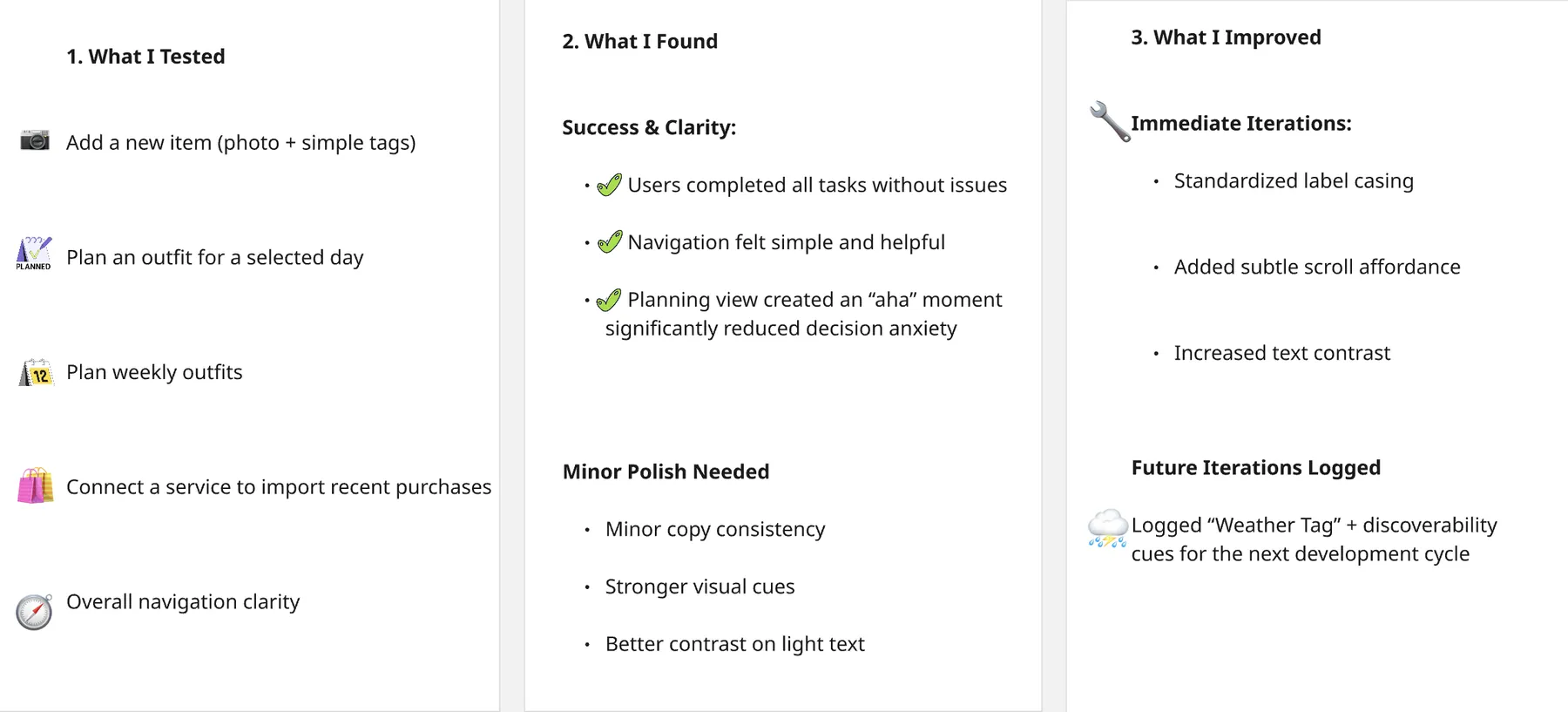
I ran short, moderated usability tests to evaluate task clarity and confirm the core flows.
My goal was to see whether busy women could complete these tasks quickly and without hesitation.
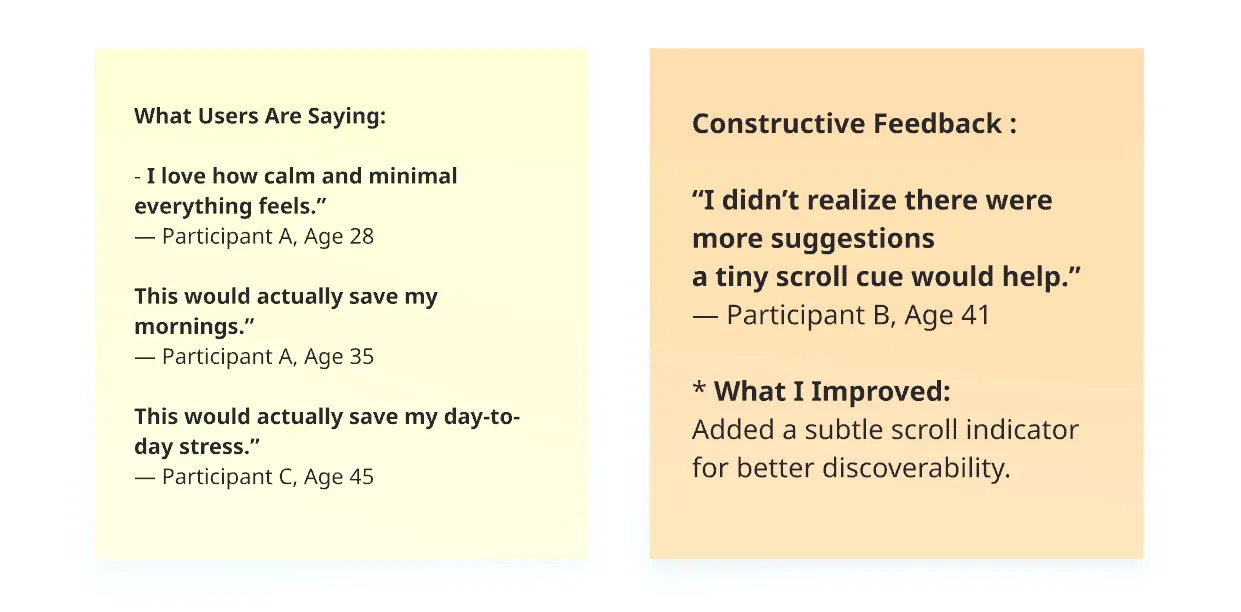
User feedback
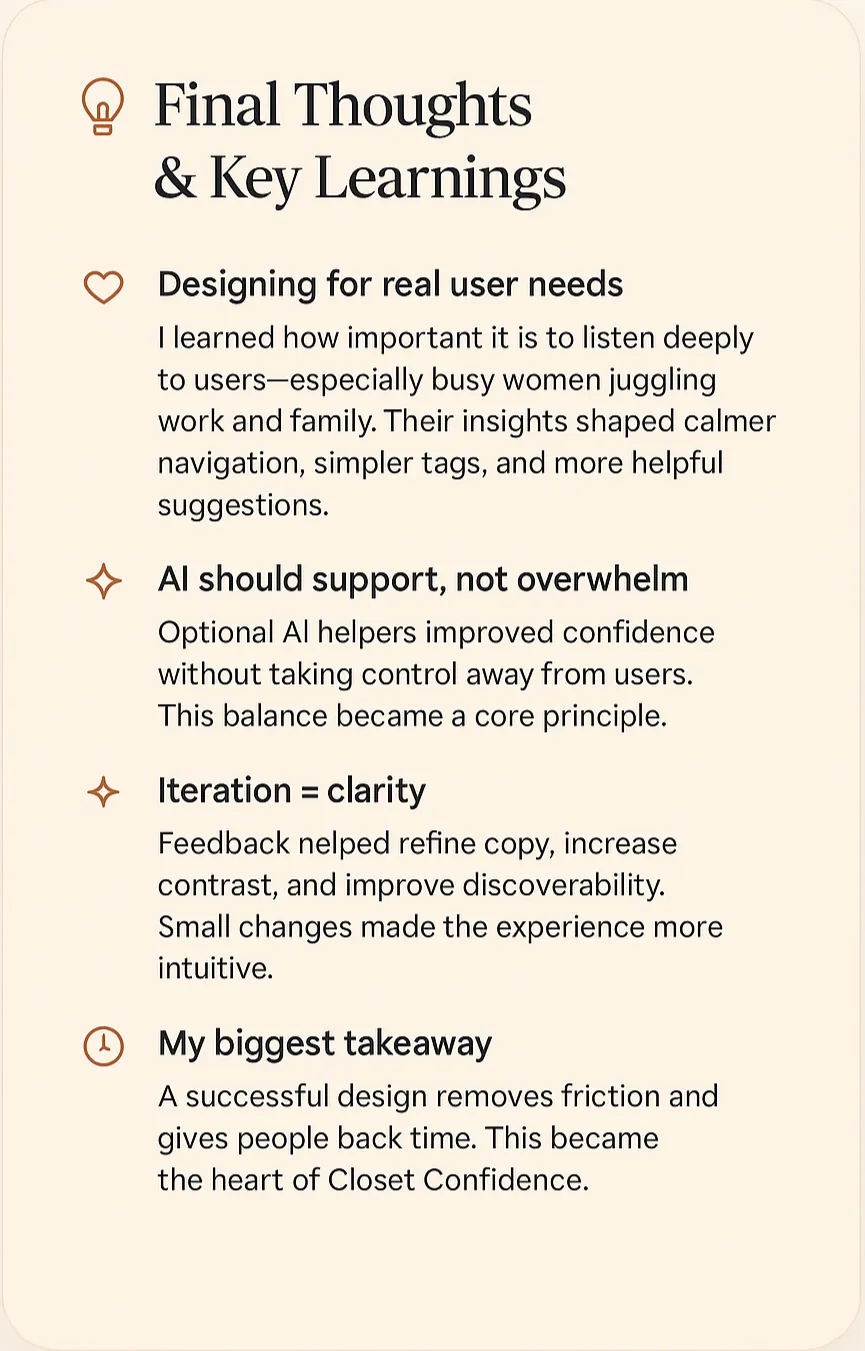
Final thoughts and key learnings
After validating all core flows and integrating user feedback, I distilled the most important insights from this project. These key learnings guided my decisions and helped refine Closet Confidence into a calm, supportive experience